Every cluster.
Under control.
One control plane for StarRocks and Apache Doris: cluster operations, query diagnosis, and AI-assisted troubleshooting — shipped as a single static binary.
$ curl -LO https://www.xclaw.live/downloads/stellar-1.0.4-linux-amd64-musl.tar.gz
From a bare FE address to a diagnosed bottleneck
Stellar reads the cluster the way an operator does: system tables, metrics endpoints and the audit log. Nothing to install on the cluster side.
01Connect
Add a StarRocks or Doris FE address with a read-only monitoring account. Stellar detects the deployment mode and inventories FE, BE and compute nodes.
02Observe
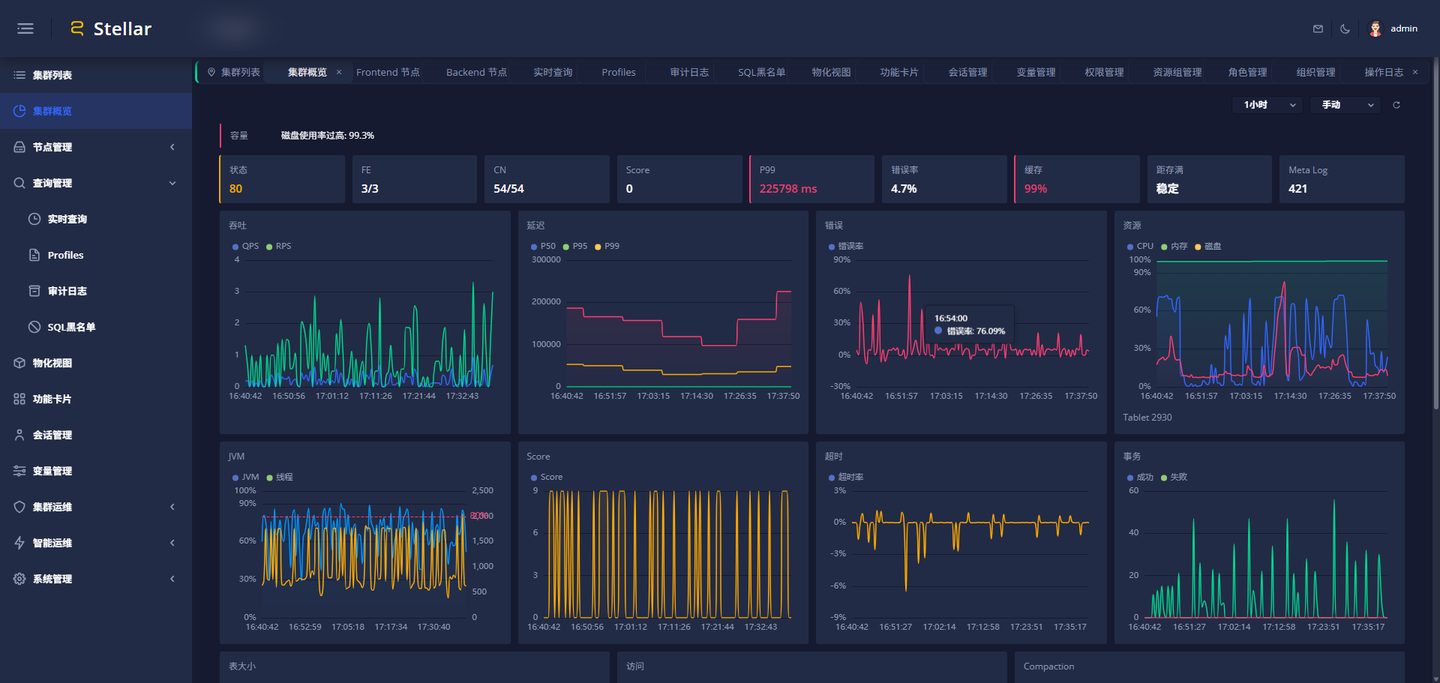
Throughput, latency percentiles, errors, disk and compaction are collected on an interval and kept for trend and capacity analysis.
03Diagnose and act
Query profiles are parsed into an execution graph. Rules name the bottleneck; the AI assistant explains the root cause and proposes a change you approve.
Slow queries, explained in one screen
The profile viewer renders the plan as an interactive graph and marks the operators that dominate the query time. Both StarRocks and Doris profile formats are parsed.

56 rules across scan, join, aggregate, sort, exchange, fragment, planner and query families — each with a documented threshold and a suggested action.
Ask the cluster a question
The assistant investigates with real data before it answers, and it can propose actions that require your confirmation.

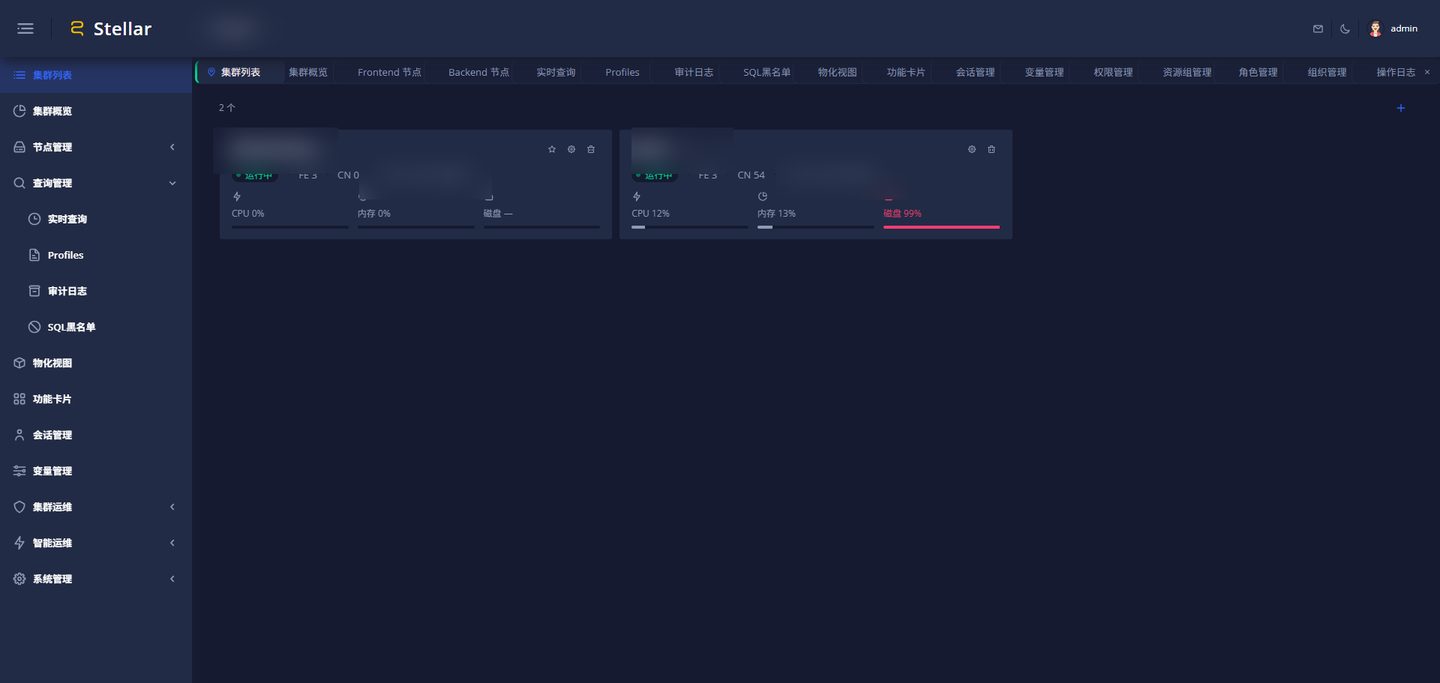
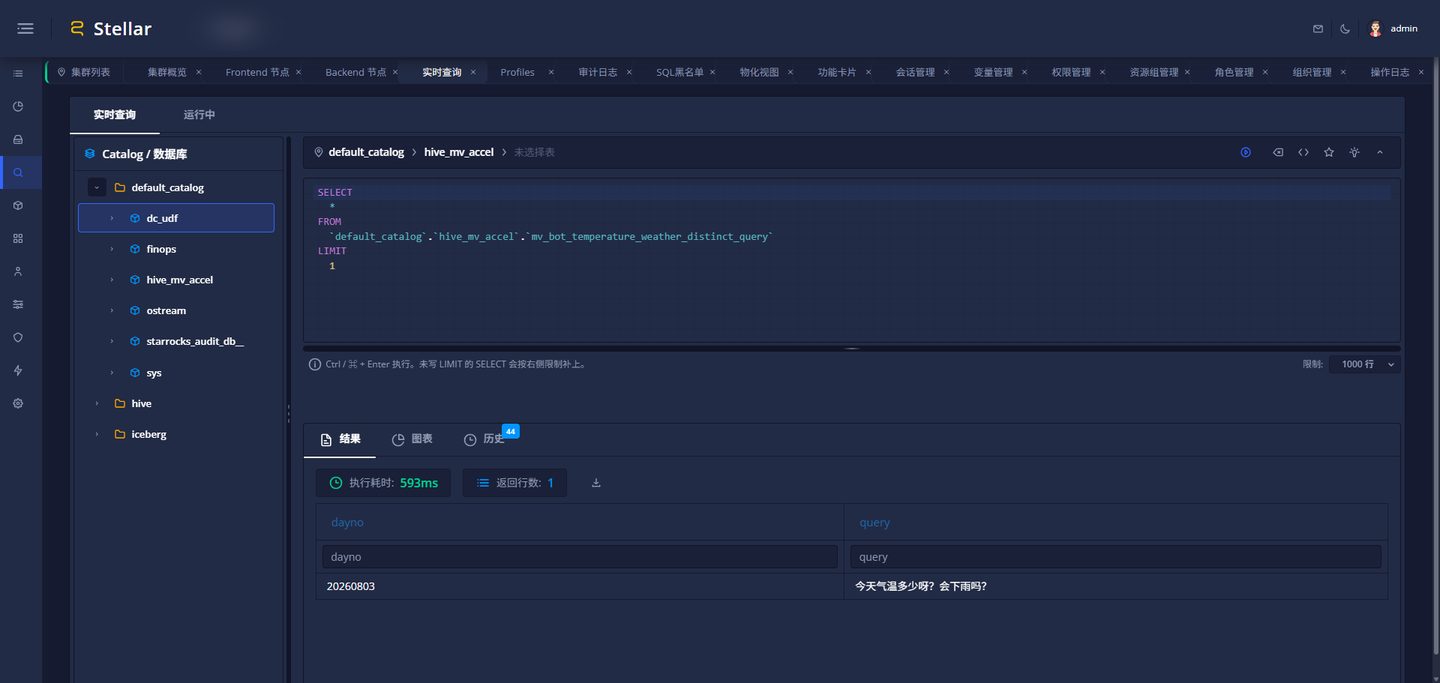
Day-to-day operations, without the SQL console
Cluster inventory, live monitoring, and a SQL workspace that keeps a history of what was actually executed.
Built for teams that answer to an auditor
Multi-organization isolation, role-based permissions, and an approval workflow for database accounts — with every change written to an operation log.

Organization isolation
Each organization sees only its own clusters and users. Cross-organization visibility is limited to super administrators.
Menu, API and action permissions
Roles are enforced per route and per operation. Permission changes take effect on the next request, without a restart.
Operation log
Who created, changed or deleted what, and when — query history and operation history are kept separately.
Deploy it the way your environment expects
The same statically linked binary ships in every format. State lives in one directory, so an upgrade is a binary swap.
Step-by-step deployment guide →
Static binary
tar.gzmusl build, no runtime dependencies. Extract, run, done.
./stellar server /var/lib/stellar
Debian package
.debCreates the service user, installs the systemd unit and enables the service.
apt install ./stellar-server.deb
Container
DockerPublished to GitHub Container Registry. Persist a single volume and you are done.
docker run -v $PWD/data:/data ghcr.io/jlon/stellar
Helm chart
KubernetesProbes, resources, ingress and persistence pre-wired for a production install.
helm install stellar deploy/chart
Kubernetes manifests
YAMLNamespace, config map, secret, workload and ingress in a single file to adapt.
kubectl apply -f deploy/k8s/deploy-all.yaml
npm package
.tgzA distribution channel for machines with Node present. The server itself needs no Node runtime.
npm i -g ./stellar-server.tgz
Questions we get before the first install
What has to be installed besides Stellar?
Nothing. The released binary is statically linked and embeds the web console, the schema migrations and an SQLite database. MySQL and PostgreSQL are supported as external stores by changing one URL.
Can it run in a fully offline network?
Yes. There is no phone-home and no external service required at runtime. The AI assistant is optional and only active if you configure a model endpoint.
Does it need agents on the cluster nodes?
No. Stellar talks to the FE over the MySQL protocol and the HTTP metrics endpoint, and reads the audit table when available. Create a dedicated read-only monitoring account rather than using root.
How do upgrades work?
Replace the binary and restart. Database, uploads and logs live in one data directory; schema migrations run automatically at start-up.
What is the license?
Apache-2.0. Run it internally, modify it, redistribute it — including commercially.
What's new in v1.0.4
Released 2026-10-30 · downloads served directly from this site
01Offline activation
Air-gapped deployments can now be activated with a code signed against the machine fingerprint and verified locally. Migrations ship for SQLite, MySQL and PostgreSQL.
02Cluster diagnostics
Node diagnostics render memory and cache metrics as themed charts. Cluster HTTP clients no longer inherit the ambient egress proxy, which surfaced as "upstream unavailable" on private addresses.
03Console polish
Draggable sidebar ordering, accessibility and contrast fixes across 23 pages, and the About panel now reports the real build version instead of a hard-coded one.